A private health diary for iPhone & iPad

Your health,
one clear diary.

Start with the reading or routine that matters today. Shape Home around it, then add meals, medications, labs, records, and caregiver sharing only when they become useful.

Download on the App Store

Free to download. Core vitals and meals stay free; optional Premium adds encrypted backup, sync, and connected services.

No account for core tracking Apple Health import & export No ads
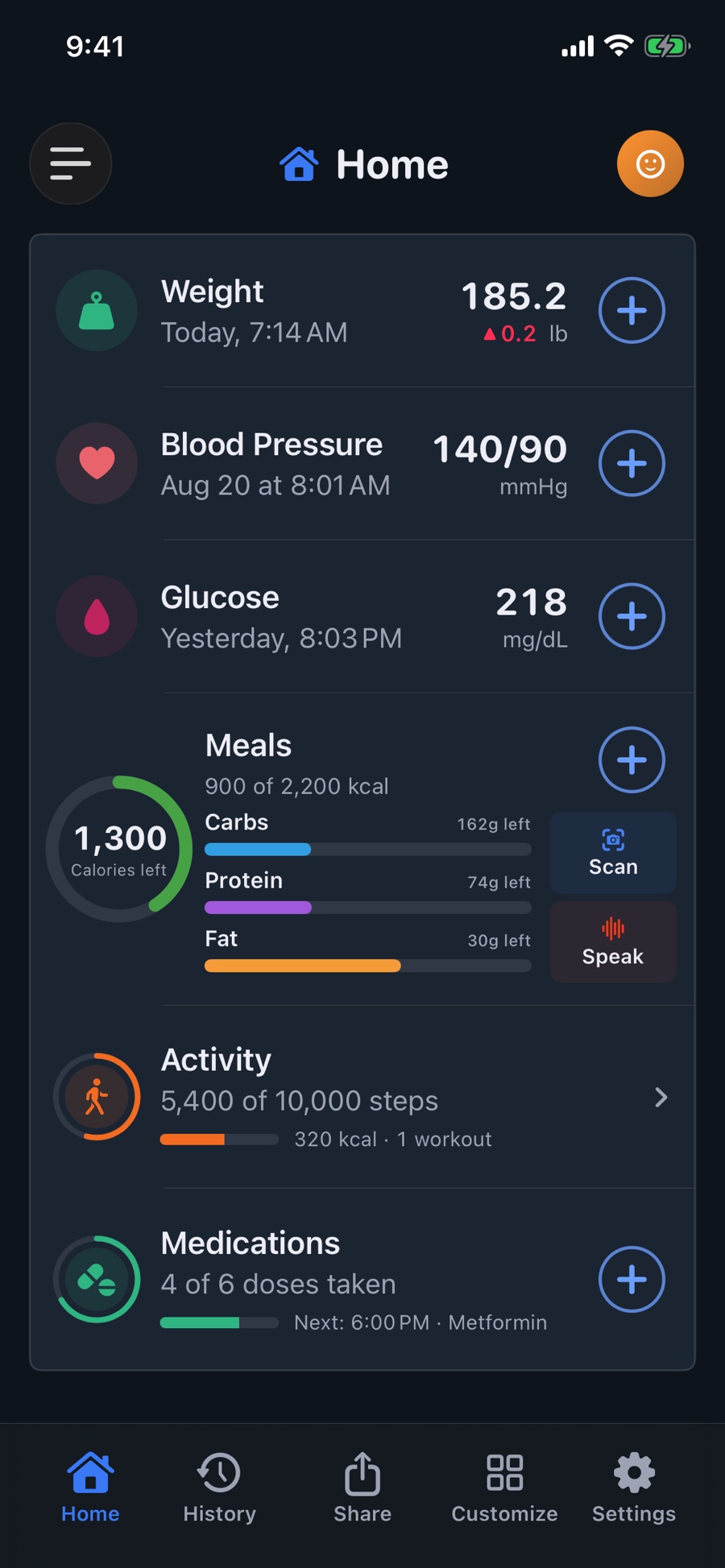
MED Diary Home in Dark Mode with populated Weight, Blood Pressure, Glucose, Meals, Activity, and Medications cards above the main tab bar
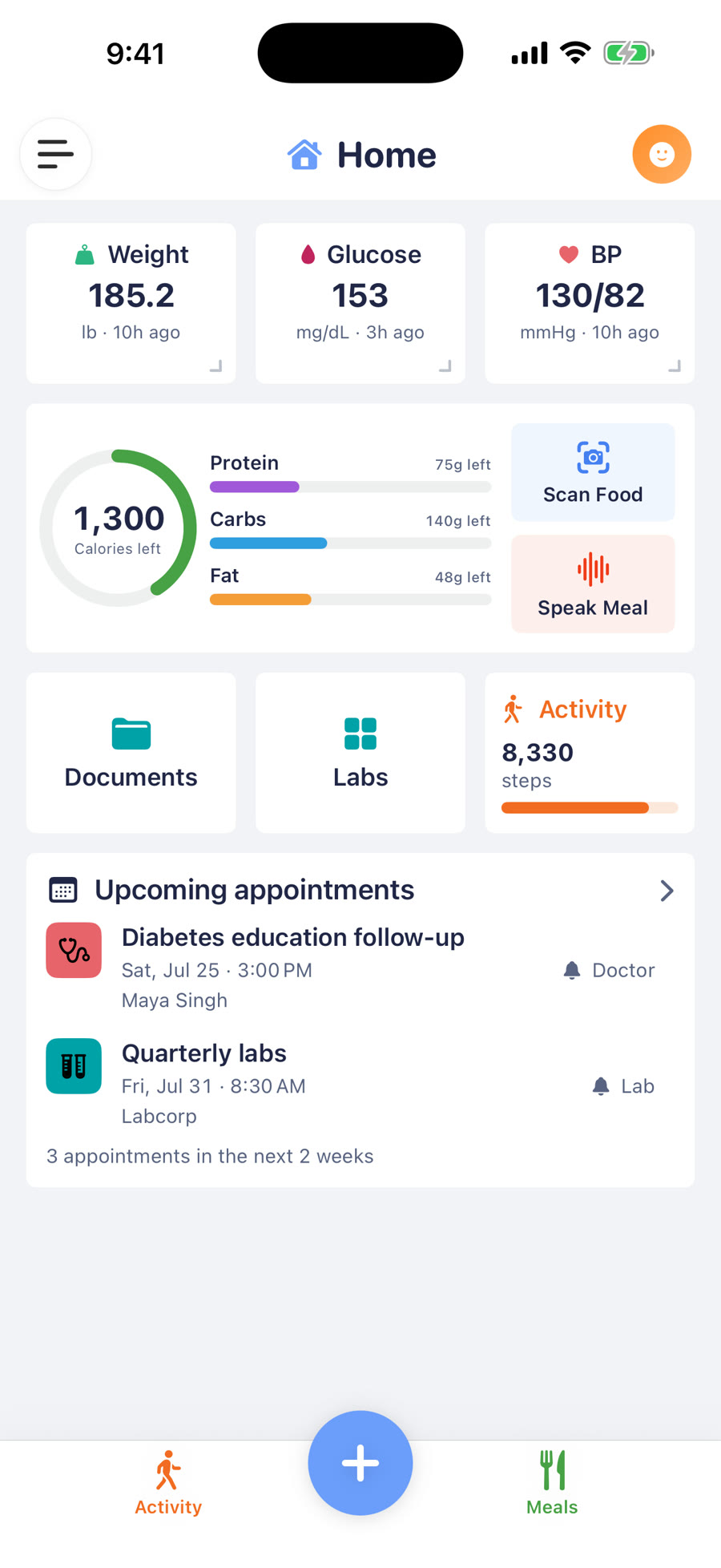
A customized MED Diary Home in Light Mode showing meal macro progress, activity progress, medication progress, and recent vital readings

Mix compact vital summaries with full-width Meals and Upcoming Appointments cards across up to four rows inside MED Diary.

Start simple. Grow only when you need to.

Choose what you see, arrange Home, and keep optional modules out of the way. Hiding something never deletes its history.

Just my blood pressure

One vital, without the rest getting in the way.

Keep recent readings, ranges, trends, and notes close without carrying an entire health system around them.

  • Hide every other vital and optional module
  • Reorder the cards that remain
  • Enter readings or use Apple Health
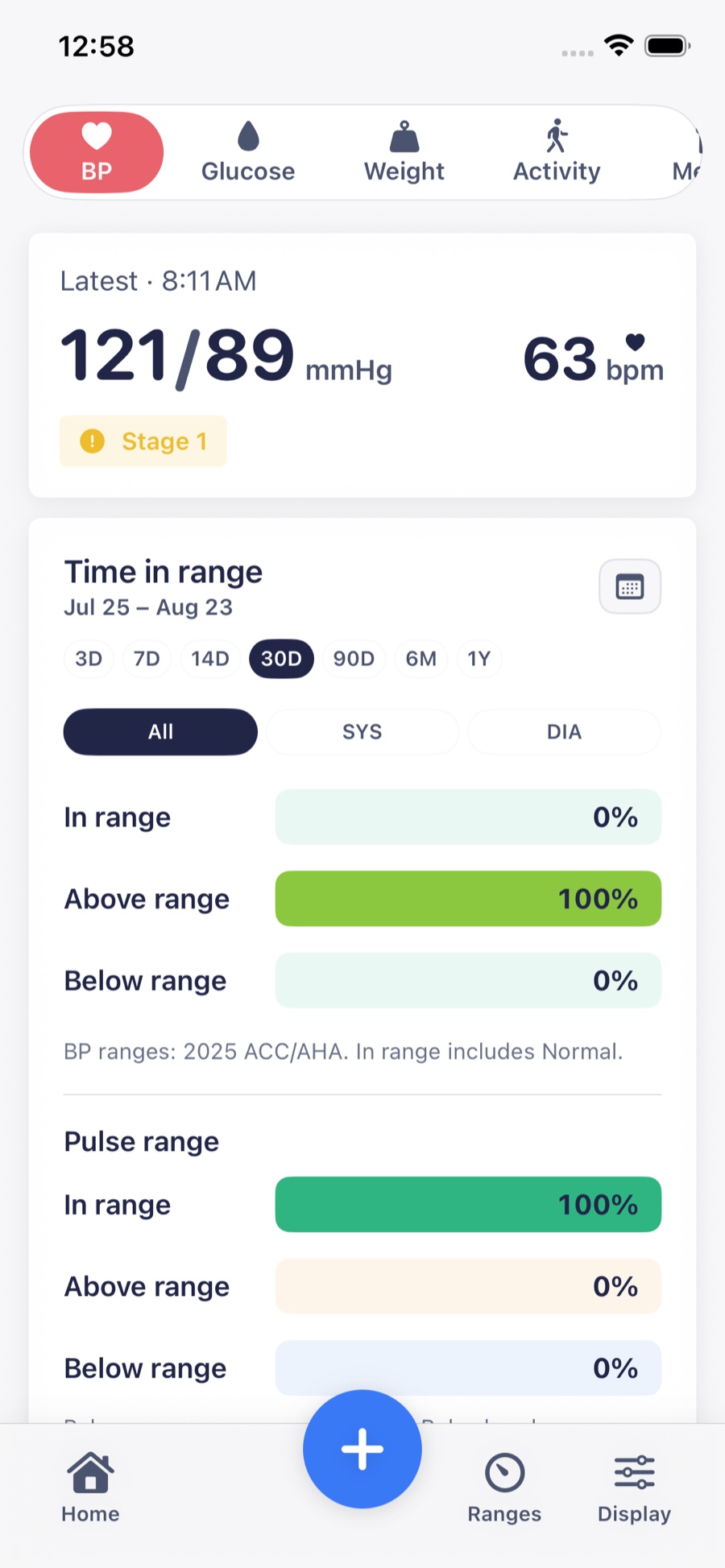
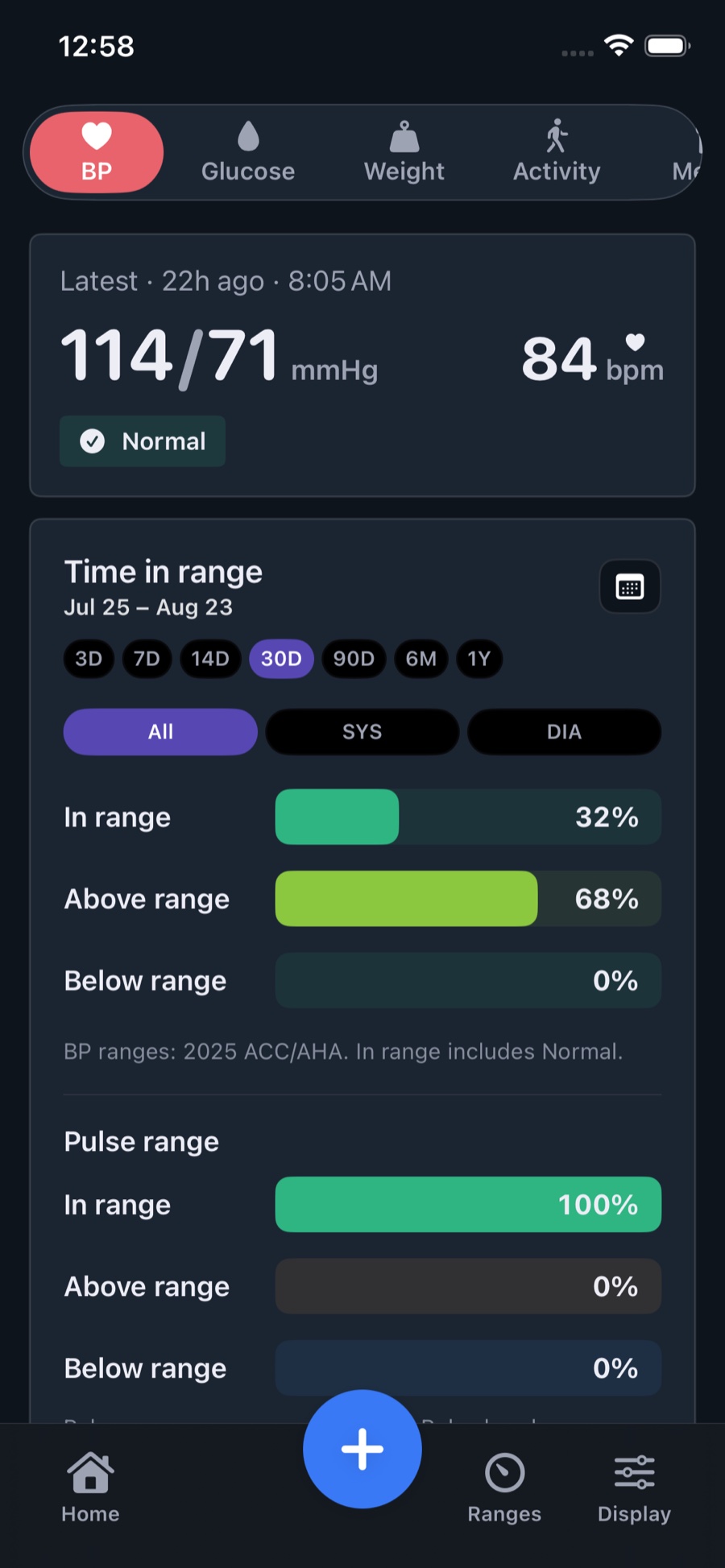
Focused Blood Pressure dashboard with the latest reading and 30-day time-in-range summaries for blood pressure and pulse

Your setup

Visible vitalBlood Pressure
Vital sectionsRecent · Range · Chart
Optional modulesHidden

Glucose and weight goals

See daily choices in a longer-term story.

Bring together glucose, meal context, ranges, weight trends, and progress toward a goal.

  • Keep Meals and Activity; hide unrelated modules
  • Use preferred units and a personal Starting Point
  • Import supported readings through Apple Health
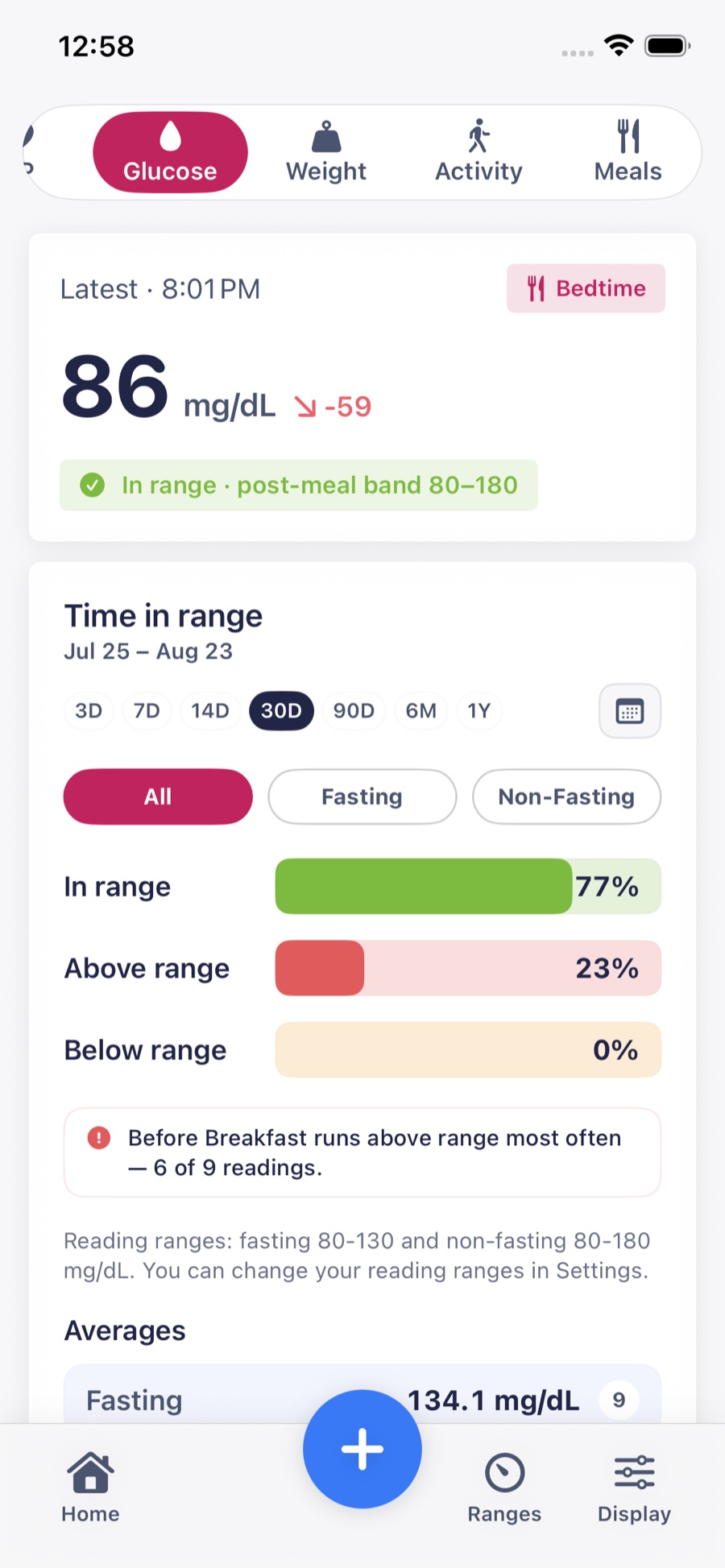
Glucose dashboard with a meal-context reading, 30-day Time in Range, and averages

Your setup

Visible vitalsGlucose · Weight
GoalsRanges · Weight loss
ModulesMeals · Activity

My complete health diary

More context when life asks for more.

Expand into meals, medications, labs, appointments, reports, protected documents, family profiles, backup, and sharing.

  • Configure modules independently for each Health Profile
  • Prepare clear reports to review with a clinician
  • Share supported records read-only with a caregiver
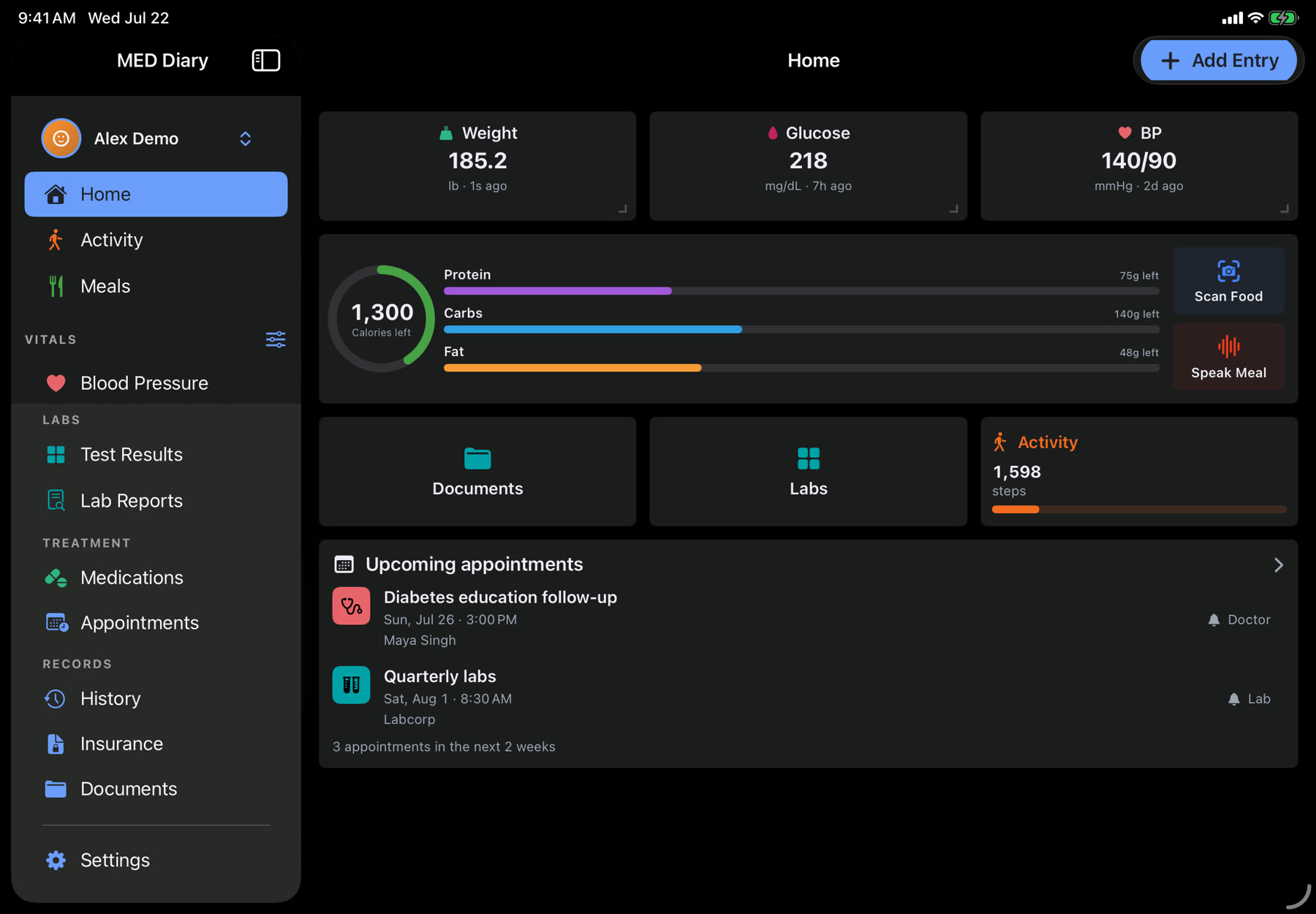
A complete MED Diary Home in Dark Mode combining vital summaries with populated Meals, Activity, and Medications progress

Your setup

VitalsBP · Glucose · Weight · Labs
ModulesAll visible
Family careProfiles · Shared Access

Examples, not plans or fixed modes. Choose any combination that works for each Health Profile.

Your whole health story, with room to breathe.

On iPad, the same diary opens into a spacious view for readings, meals, treatment, labs, appointments, and records.

  • One sidebar for every part of the diary
  • Light and Dark Mode
  • The same private Health Profiles
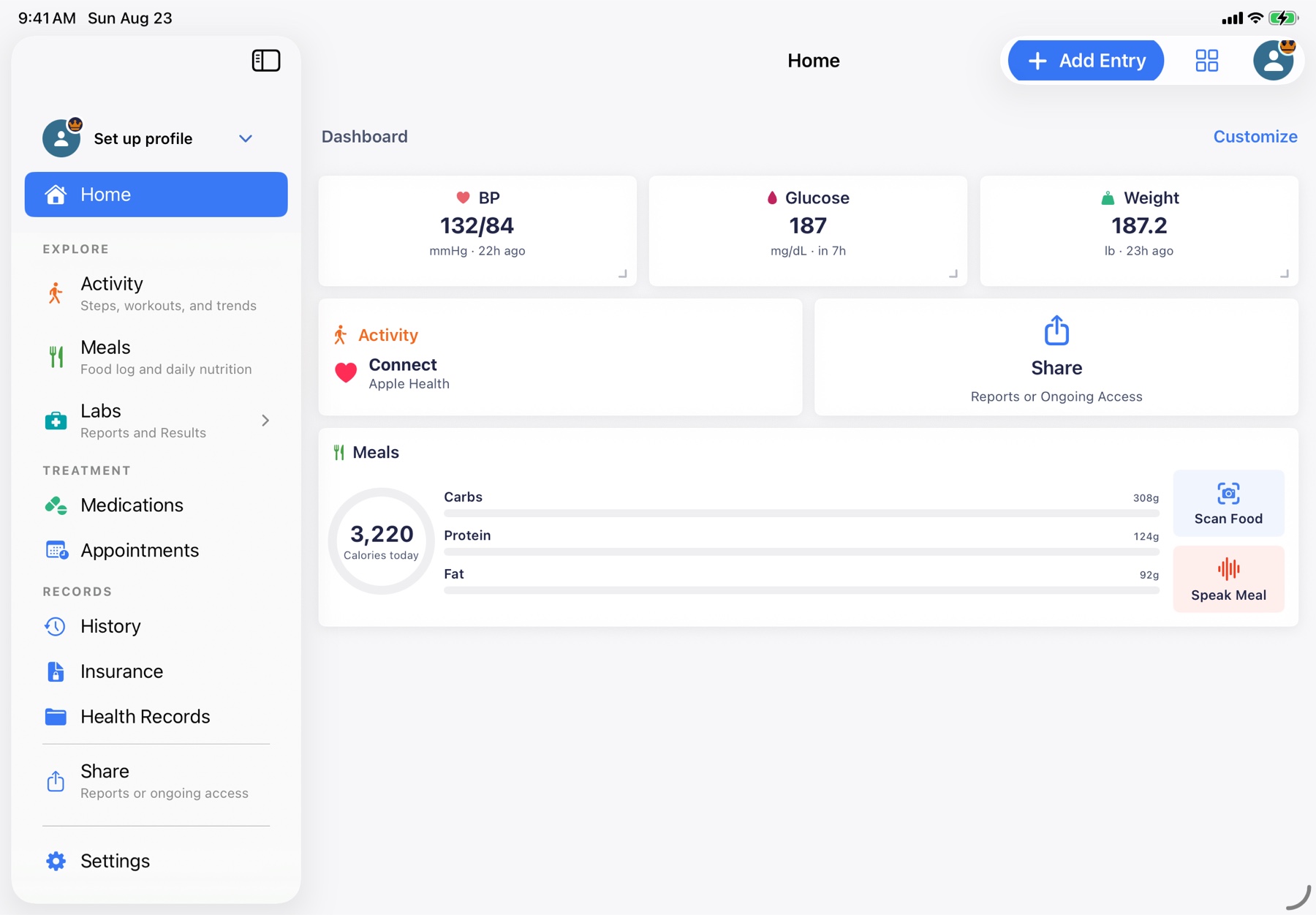
MED Diary on iPad in landscape Light Mode with the full navigation sidebar and a spacious customized Home dashboard
Drag the divider to compare the same customized Home in Light and Dark Mode.

Every part earns its place.

Three connected stories show how focused tracking can become a useful record.

Track patterns, not isolated numbers.

Blood pressure, glucose, and weight each get a focused home, with recent values, longer trends, personal ranges, notes, and the clinical context needed to understand what changed.

  • Blood pressure zones and meal-aware glucose ranges
  • Weight Trend, goals, milestones, and forecasts
  • Two-way Apple Health sync at no cost
Blood Pressure dashboard in Dark Mode showing the latest reading and 30-day time-in-range summaries
Recent readings, target ranges, and longer trends stay together.

Add the daily context around those readings.

Meals, medications, and activity stay useful on their own while adding the everyday context that a measurement cannot provide by itself.

  • Type, search, scan, photograph, or speak a meal
  • See today’s doses without rewriting yesterday’s regimen
  • Bring steps and workouts in through Apple Health

AI meal estimates remain editable and should always be reviewed before saving.

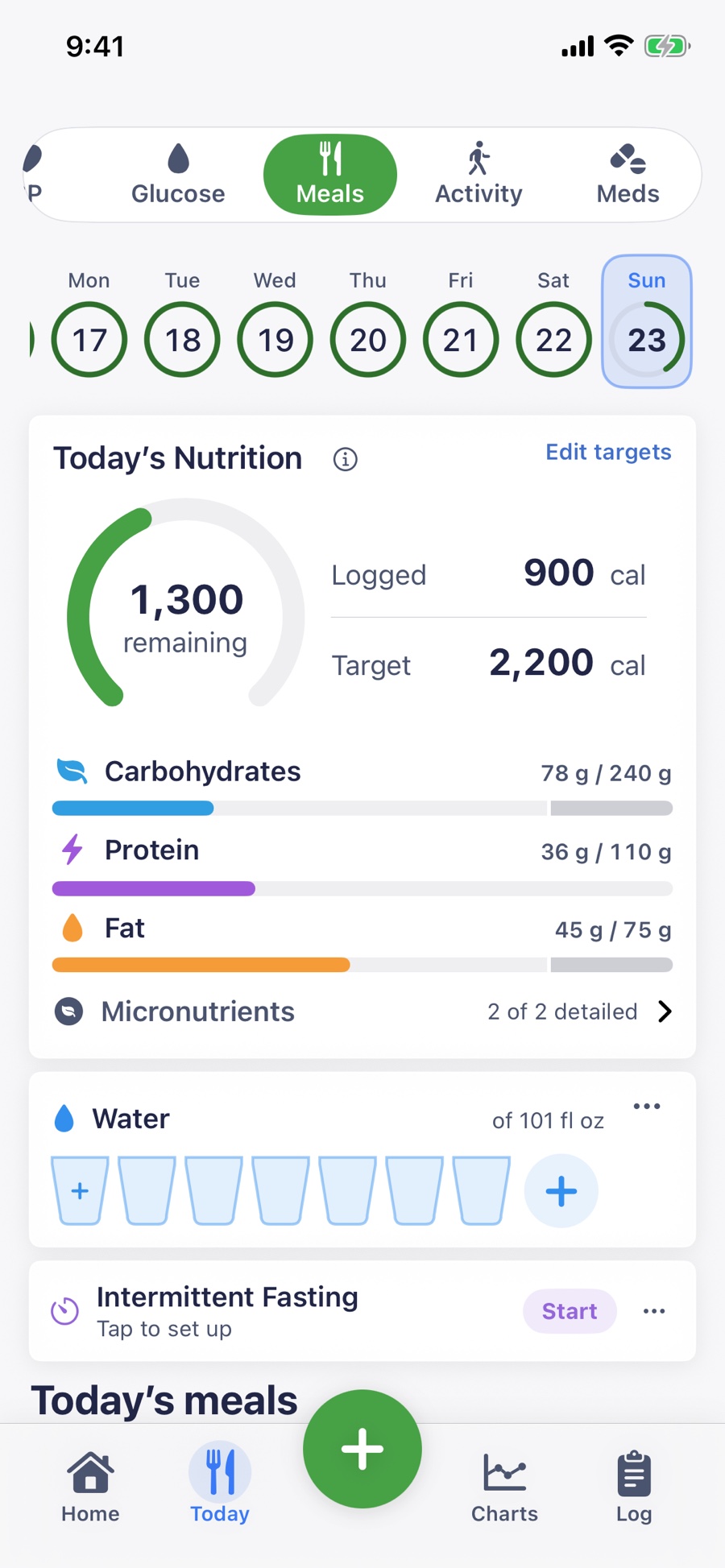
The Meals screen with a 2,200-calorie target, 900 calories logged, colored carbohydrate, protein, and fat progress bars, water, and fasting
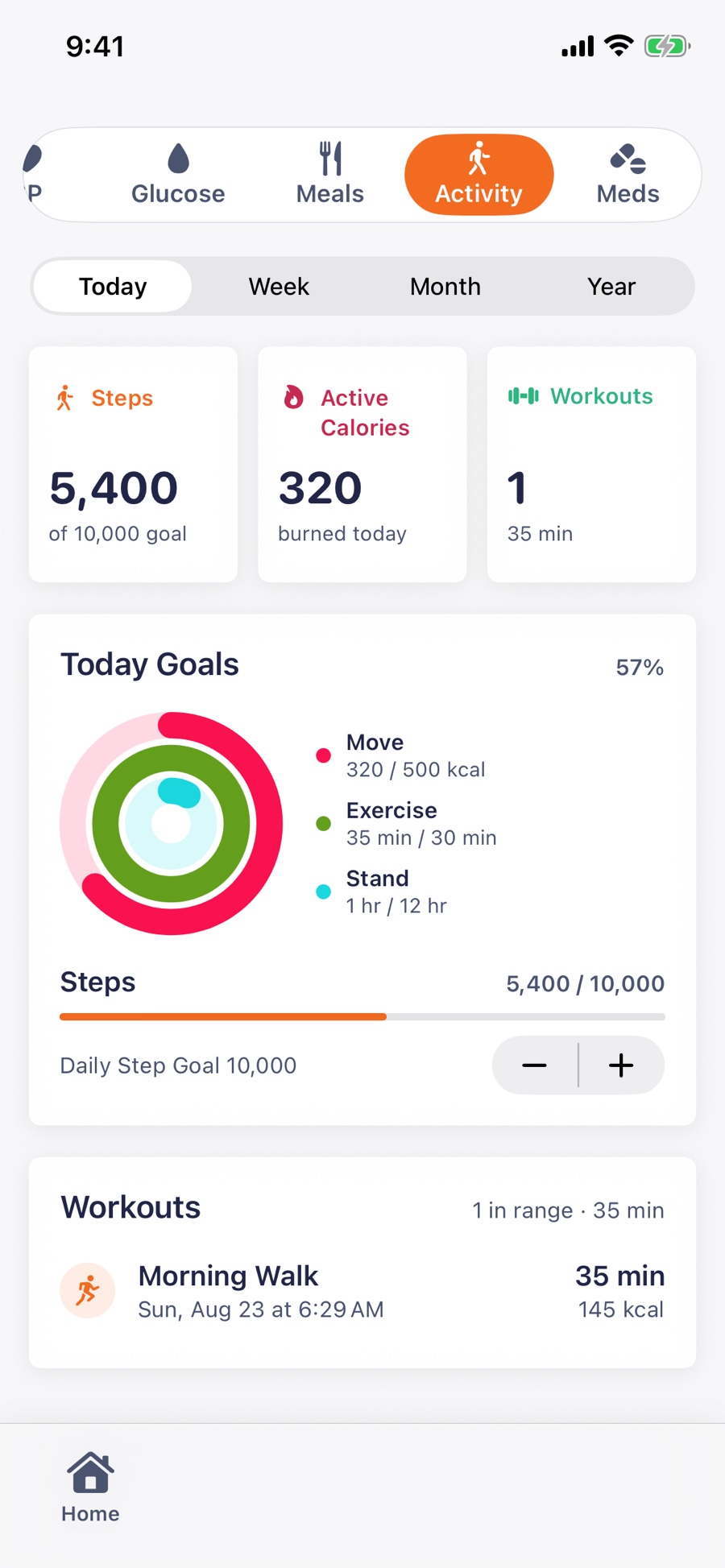
The Activity screen with 5,400 steps, 320 active calories, one 35-minute workout, Activity rings, and step-goal progress
Nutrition targets and logged movement make the day’s progress visible at a glance.

Keep records useful—and share only what you choose.

Turn lab reports into confirmed results, protect documents, prepare a focused snapshot, or share supported records read-only with a caregiver.

  • Review, redact, and approve before AI lab extraction
  • Create plain-text, printable, and PDF reports
  • Control and revoke end-to-end encrypted Shared Access
Meet MED Diary Follow
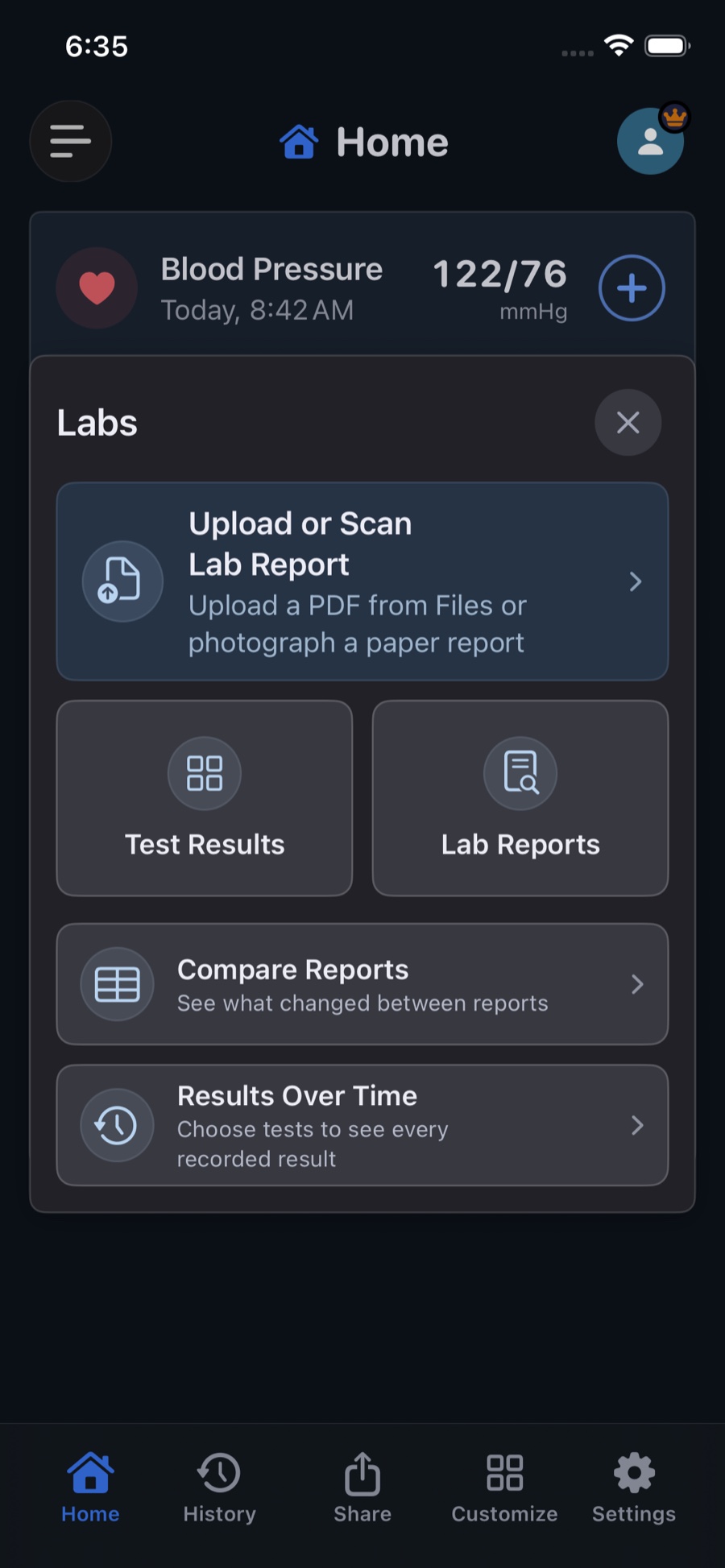
The Labs panel in Dark Mode with routes to upload or scan a report, review test results, compare reports, and see results over time
Reports, confirmed results, comparisons, and longer trends remain connected.

Your health is personal.
The architecture should be, too.

Your diary begins on your device without an account for core tracking. Optional Encrypted Backup & Sync seals supported records and files before upload, and Shared Access uses a separate end-to-end encrypted channel for the supported records you choose.

  1. 1

    Review

    Before AI lab extraction, see a plain-language explanation of what may leave your device.

  2. 2

    Redact

    Cover names, IDs, or anything else on device. Redactions are burned into the PDF.

  3. 3

    Approve

    Inspect the exact file and choose whether to send it for extraction. Nothing is automatic.

A useful health diary is free. Premium helps it travel further.

Changing plans never hides the history you already recorded.

Free

Keep a private diary on this device without creating an account.

  • Unlimited vital and meal history
  • Up to three current medications and three upcoming appointments
  • Apple Health, customizable Home cards, plain-text sharing, and raw export

Premium

Add connected services and more room for a growing health story.

  • Encrypted Backup & Sync across your devices
  • Ongoing AI, formatted reports, and higher limits
  • Family profiles and selective Shared Access
Read our nine product promises

The practical details.

Need something else? Visit Support or write to support@meddiary.app.

Do I have to use every part of MED Diary?

No. Start with blood pressure, glucose, weight, or any combination you prefer. Reorder the vital screens, Home cards, and Quick Access destinations, then keep Meals, Medications, Labs, Appointments, Activity, or documents hidden until they become useful. Turning a module off does not delete its existing history.

Where is my health data stored?

Your diary begins on your device and stays there unless you choose otherwise. Optional Backup & Sync, part of Premium, encrypts supported records and files on device before our server stores them, keeping the diary current across your devices. See how the sealed backup works. Live AI receives only the lab PDF or meal content you deliberately submit through the MED Diary server. Shared Access relays separately encrypted record envelopes plus the limited metadata needed to operate the service. See the Privacy Policy for the full data flow.

How does caregiver sharing work?

You choose supported vitals, current medications plus dose events and adherence, and individual lab results. Your device encrypts those records with a key carried in the full invite; the relay never receives that key. MED Diary Follow presents a read-only view to the invited caregiver. See the security details.

What does MED Diary cost?

MED Diary is free to download and includes unlimited vital and meal history, up to three current medications, up to three upcoming appointments, Apple Health, customizable Home cards, plain-text sharing, and raw export; the free diary lives entirely on your device. Optional Premium adds Encrypted Backup & Sync across your devices, unlimited medications and appointments, ongoing AI, formatted reports, Shared Access, family profiles, and alternate app icons, and is currently US $4.99 monthly or a US $34.99 annual Founding Price. For subscribers who join while it is available, MED Diary will preserve the applicable App Store price for future MED Diary price increases while the annual subscription remains continuously active. Eligible annual subscribers may receive a 7-day trial. The App Store shows and controls the exact localized price, taxes, billing, and eligibility before confirmation.

Start with what matters now.

Download MED Diary and shape a private health record around your life.

One diary. A clearer story.

1:59 · Narrated · English captions

Follow the fictional Alex Demo profile through Home customization, History, meals, activity, medications, labs, records, and selective one-time or ongoing sharing.

Read the introduction transcript

Meet Alex. MED Diary keeps the pieces of his health in one place, then helps them make sense together.

Home gives Alex a quick read on vitals, meals, activity, medications, records, and appointments. Its controls speed up common entries. Customize in the bottom toolbar lets him add, remove, and reorder readings, screens, and actions across Home and Quick Access.

History brings readings and meals into one timeline, with trends, target ranges, notes, and time in range. Opening a result like LDL cholesterol adds its lab range, change from the previous test, and longer-term direction.

Meals can be typed, searched, scanned, spoken, or photographed. After reviewing the estimate, Alex sees calories and nutrients beside glucose, weight, and movement. Activity keeps steps, workouts, and goals beside the rest of the day, adding context without treating one day as the whole story.

Medications shows what is due, taken, skipped, or missed, and preserves earlier regimens after a prescription changes, keeping today’s schedule and treatment history clear.

Lab reports can be photographed or imported as PDFs. Alex reviews privacy, redacts on his phone, approves what leaves it, and verifies each result. Test Results then organizes the values by body system or common panel, with ranges and flags.

Appointments, insurance cards, prescriptions, documents, and printable reports keep the practical details together when Alex is preparing for a visit.

Share in the bottom toolbar offers a one-time copy of vitals, medications, or test results for a doctor, or Trusted Sharing for ongoing support. Alex controls what a family member, caregiver, or coach sees, perhaps meals and weight for a coach, and can stop access anytime.

Start with what matters. MED Diary keeps the detail organized, the context connected, and control of your health information in your hands.